

Security
You Can't Bypass

Your Account Credentials.
The first factor is your account login – the credentials you use to access the 4SIGNER platform.

Hardware Token or Mobile App.
The second factor is a hardware token or mobile application that generates a unique verification code.
Two Factors for Secure Signing
Signer Verification
in Two Steps
Two-Factor Verification confirms the signer’s identity using two independent authentication factors.
01
Your Account Credentials
Something only you know – your login credentials for accessing the 4SIGNER platform.
Hardware Token or Mobile App
Something you have – a hardware token or mobile application that generates a unique verification code.
02

Two-Factor Verification significantly increases signing security and reduces the risk of unauthorized use of your electronic signature.

Security You
Set Up Once
Two-Factor Verification protects your signing process and your account on the platform.

Prevents Unauthorized Access
Stronger Platform Security
Required for Qualified Signing
Two-Factor Verification is required when signing with a Qualified Electronic Signature (QES).
Hardware Token Verification
Mobile App Verification
For All Platform Users
Sign. Verify. Archive.
Sign documents, verify signatures, and archive everything in one place – the 4SIGNER Zone.
Choose Your Second Factor
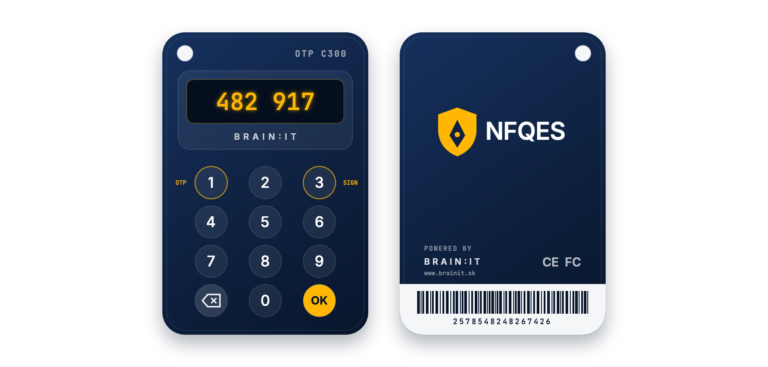
Hardware Token
- Supports ES, AdES, and QES
- Generates unique verification codes
- Protected by a PIN
- No smartphone security chip required
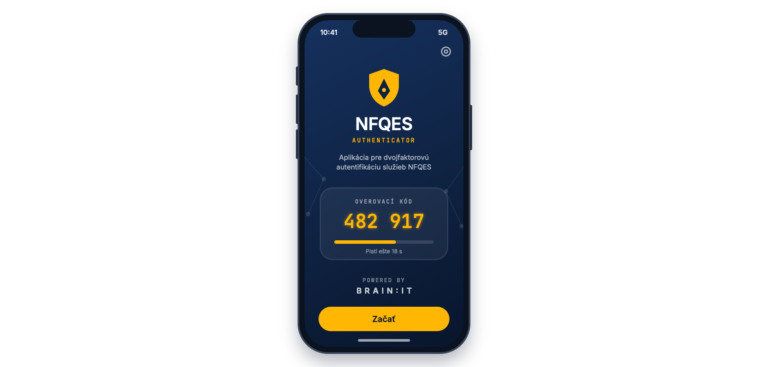
NFQES Authenticator
A mobile application for verifying simple and advanced electronic signatures. Works on supported Android/iOS devices without a security chip.
- Supports ES and AdES
- Android and iOS support
- No security chip required
- Does not support QES verification
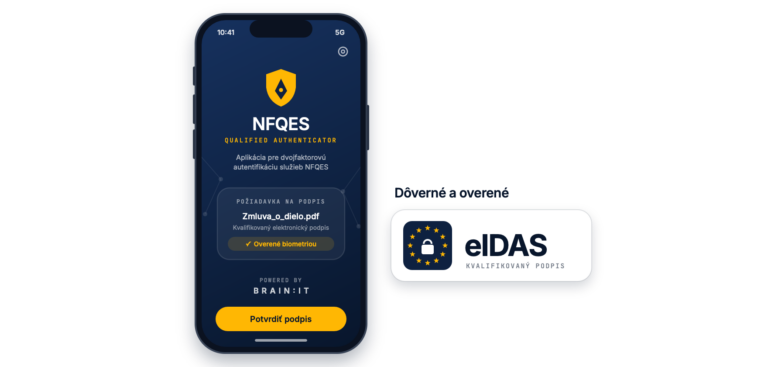
NFQES Qualified Authenticator
A mobile application for verifying all supported electronic signature levels. Requires compatible hardware-backed security on the mobile device.
- Supports ES, AdES, and QES
- Requires compatible secure hardware
- Supports qualified signing
- Device compatibility must be verified
Choose how to confirm your signature – with a hardware token or one of two supported mobile applications.
Which option
is right for you?
It mostly depends on the signature level you need and which phone you have.
Want to sign with a qualified electronic signature? Choose a hardware token or NFQES Qualified Authenticator. If a simple or advanced signature is enough, NFQES Authenticator works on all Android and iOS devices, even without a security chip.
Two codes.
The signature is yours.
Switch the verification method and click a step to see what happens at that moment.
Illustrative view. Codes shown are examples; the actual 4SIGNER interface may differ.
Significantly Stronger
Signing Security
Prevents Unauthorized Access. The second authentication factor helps prevent unauthorized use of your signature and signing credentials.
PLATFORM
Stronger Protection for Every Signature. An additional security layer protects the signing process and platform functions.
Required for QES . Two-Factor Verification is required when authorizing Qualified Electronic Signatures.
What Is Two-Factor Verification?
It verifies the signer’s identity using two factors: the first factor is the account login credentials, and the second is a hardware token or mobile application.
Why Should I Use It?
It significantly increases signing security and minimizes the risk of electronic signature misuse.
Who Is It For?
All users of the 4SIGNER platform.
Is It Required for Qualified Electronic Signatures?
Yes. Two-Factor Verification is mandatory for Qualified Electronic Signatures (QES).
How Does a Hardware Token Work?
It generates a unique verification code during signing and is additionally protected by a PIN. It supports all signature levels.
What's the Difference Between NFQES Authenticator and NFQES Qualified Authenticator?
NFQES Authenticator supports simple and advanced electronic signatures and works on standard mobile devices. NFQES Qualified Authenticator also supports qualified electronic signatures (QES) but requires compatible hardware-backed security.
Do I Need a Special Smartphone?
Only if you want to use NFQES Qualified Authenticator, which requires compatible security hardware, such as StrongBox on supported Android devices.
How Do I Sign a Document Using a Hardware Token or Mobile App?
Follow the steps in the “How to Sign a Document” section.
A Few More
Answers
Everything you need to know about Two-Factor Verification on the 4SIGNER platform.
Two-Factor Verification
Protect your electronic signatures with an additional authentication factor – a hardware token or mobile application.
Increase signing security, reduce the risk of misuse, and meet the verification requirements for Qualified Electronic Signatures.