

Electronic Document Signing
Even Without a Card Reader

Remote Certificates. No Card Reader Needed.

Your Signature. Your Details.
Document Signing
in Three Simple Steps
Log In and Upload Your Document
PDF · DOC · JPEG · PNG · XLSX · XLSM
01
Choose the Level and Certificate
02
Confirm. Sign. Done.
Output Formats:
03
Overview of
electronic signature levels
The higher the level, the stronger the signer verification. Click a level to see how you verify yourself at that level.
Click a level to see the details
Lower levelHighest level · strongest verification
Digital (simple) e-signature
The lowest level of electronic signature. You can verify the signer with a hardware token or a mobile app — including NFQES Authenticator, which does not require a security chip in your phone.
Verification strength 1/4
- Hardware token
- NFQES Authenticator
- NFQES Qualified Authenticator
No chip required in phoneAndroid + iOS
Electronic signature
A signature where two-factor verification confirms the signer with a hardware token or a mobile app. The first factor is your account login credentials, the second is the token or the app.
Verification strength 2/4
- Hardware token
- NFQES Authenticator
- NFQES Qualified Authenticator
Two factorsHW token or app
Advanced electronic signature
A higher signature level. You can verify with a hardware token, the NFQES Authenticator app or NFQES Qualified Authenticator — choose based on the phone you have.
Verification strength 3/4
- Hardware token
- NFQES Authenticator
- NFQES Qualified Authenticator
Two factorsChoice of verification method
Qualified electronic signature
The highest level of electronic signature. Two-factor verification is mandatory, and you can verify with a hardware token or the NFQES Qualified Authenticator app, which requires a security chip in your phone.
Verification strength 4/4
- Hardware token — signs at any level
- NFQES Authenticator — cannot be used for qualified signatures
- NFQES Qualified Authenticator — requires a security chip
Two-factor verification is mandatory
Digital Signing Without Technical Barriers

Remote Certificates Without a Card Reader

Graphic Signatures at Every Level
Add a graphic signature at any signature level, including your name, email, signing date, phone number, and other details.

All Signature Levels in One Place
Digital signatures, ES, ES-S, Qualified Electronic Signatures (QES/KEP), and mandate-based M-KEP, including qualified electronic seals.

Timestamps for Every Document
Add or remove a timestamp for each document individually, giving you full control over your signed documents.

Bulk Signing and Signature Requests
Sign multiple documents at once and send them directly to other people for their signatures.
Remote Certificates Instead
of Card Readers
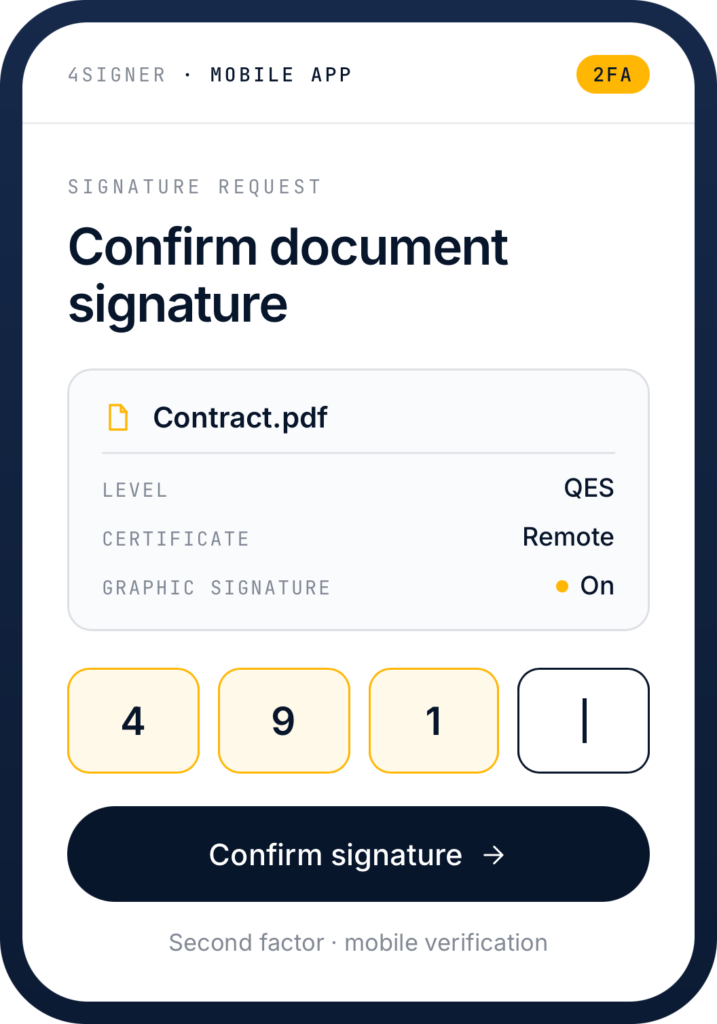
We support both QSCD-based and remote certificates. Remote certificates allow you to sign documents electronically without a physical card reader – all you need is a mobile app or another supported two-factor authentication method.
Graphic signature
at every signature level
Click to try out how your graphic signature will look. It is a premium subscription feature, available at every signature level — from a digital signature all the way to a qualified electronic signature.
Electronically signed
Electronic Signing
at Every Level
We also support Qualified Website Authentication Certificates (QWAC/TLS).
DIGITAL
Digital Signature
Supported in the 4SIGNER Signing Zone.
ES
Electronic Signature
For signing as an individual.
ES-S
Electronic Seal
For documents issued by organizations.
AdES
Advanced Electronic Signature
A higher signature level for individuals.
AdES-S
Advanced Electronic Seal
A higher seal level for organizations.
QES
Qualified Electronic Signature
The highest signature level.
M-QES
Mandate qualified electronic signature
For signing as an authorized representative.
QES-S
Qualified Electronic Seal
The highest seal level for organizations.
ALL LEVELS
Graphic Signature
Available at every signature level.
ALL LEVELS
Graphic Signature
Available at every signature level.
For Everyone Who
Signs Digitally
Upload Your Document
Upload your file to the 4SIGNER Signing Zone – whether it’s a contract, invoice, spreadsheet, scanned document, or photo.
DOC
XLSX · XLSM
JPEG · PNG
Download Your Signed Document
After signing, choose your preferred output format. You can also decide whether to add a timestamp to each document individually.
PDF/A
ASIC-E
Try Document Signing
Book a Consultation
Do I Need a Card Reader to Sign Documents?
No. 4SIGNER supports both QSCD-based and remote certificates. With a remote certificate, you can sign using a mobile app and two-factor authentication, without a physical card reader.
What Is StrongBox and Do I Need It?
StrongBox is a hardware-backed security feature available on certain Android devices.
- For Qualified Electronic Signatures (QES): To use the 4SIGNER mobile signing solution, you need a compatible device with StrongBox. Otherwise, you can use a hardware token (HW token).
- For lower signature levels (Digital, ES, ES-S, AdES, AdES-S): A standard mobile app is sufficient. StrongBox is not required.
Which Signature Levels Support Graphic Signatures?
Graphic signatures were previously available only at selected signature levels. They are now supported at all signature levels as a Premium subscription feature.
What Can I Include in My Graphic Signature?
A graphic signature is more than just a generated handwritten-style signature. You can customize it with your name, email address, signing date, phone number, and other personal details.
Which Signature Levels Does 4SIGNER Support?
4SIGNER supports Digital Signatures, Electronic Signatures (ES), Advanced Electronic Signatures (AdES), Qualified Electronic Signatures (QES), Mandate Qualified Electronic Signatures (M-QES), and electronic seals (ES-S, AdES-S, QES-S)..
Which File Formats Can I Upload and Download?
You can upload PDF, DOC, JPEG, PNG, XLSX, and XLSM files. Signed documents can be downloaded in PDF, PDF/A, or ASiC-E format.
Can I Add a Timestamp to My Signature?
Yes. You can choose whether to include a timestamp for each document individually.
Answers to Your Questions
About Electronic Signatures
Everything you need to know about document signing with 4SIGNER – signature levels, remote certificates, graphic signatures, output formats, and timestamps.