How to Get a Qualified Electronic Signature in 4 Steps
A Qualified Electronic Signature (QES) is the highest level of electronic signature, carrying the same legal validity as a handwritten signature.
In today’s digital world, it is essential for signing contracts, submitting official documents, tax forms, and other important business documentation.
Thanks to modern technologies such as biometric identity verification, you no longer need to visit a registration office in person.
The entire process can be completed from the comfort of your home or office. In this guide, we’ll walk you through each step.
Why Is a Qualified Electronic Signature Important?
A Qualified Electronic Signature complies with the strictest European eIDAS standards and is legally recognized across all EU Member States.
It enables secure, fast, and fully digital document signing without the risk of document loss or forgery.
With the 4SIGNER platform, you can also take advantage of advanced tools such as Biometric Management and automatic certificate issuance, making the entire process even simpler.

READ ALSO
Qualified electronic certificate via biometrics
Three Ways to Obtain a Qualified Electronic Signature
Traditionally, there have been two ways to verify your identity:
- In-person identity verification – requires visiting a registration office.
- Signing with an existing Qualified Electronic Signature – requires you to already possess a valid QES.
Today, there is a third – and by far the most convenient – option: biometric identity verification. All you need is a valid identity card or passport and a device equipped with a camera. No travel. No existing electronic signature required.
READ ALSO
In-Person Visit, Existing Qualified Electronic Signature, or Biometrics – Which Verification Method Should You Choose?
How to Get a Qualified Electronic Signature in 4 Simple Steps
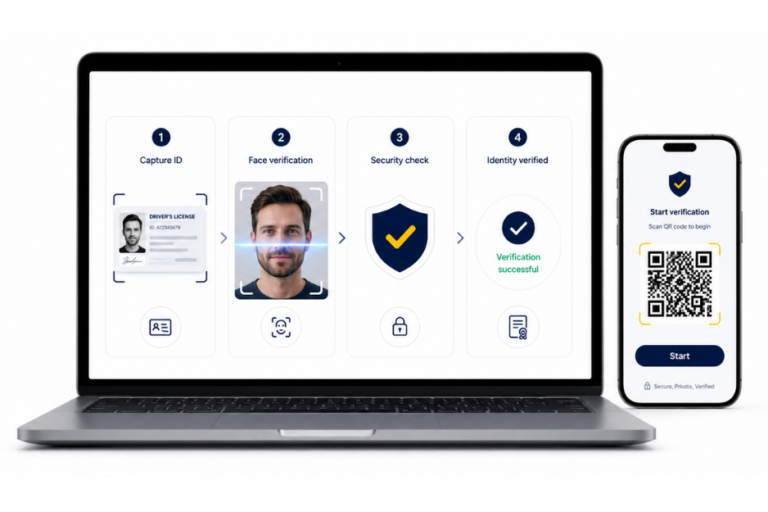
- Start the Identity Verification Process
You can begin the process directly on the web platform or on your mobile device. Choose whichever option suits you best:
- On your smartphone – Log in and complete the entire process, including biometric verification, directly on your phone.
- On your laptop – Start on the web. When it’s time for biometric verification, you can either continue using your webcam or switch to your mobile device by scanning a QR code.
The system guides you through the initial instructions. Simply select your document type and issuing country.
The process is intuitive and designed to be user-friendly for everyone.
- Scan Your Identity Document
Take photos of the front and back of your identity card or passport.
The system automatically:
- Extracts your personal information (name, surname, date of birth, address, etc.).
- Verifies the document’s validity.
- Checks image quality and detects any signs of damage.
This technology significantly reduces errors while accelerating the verification process.
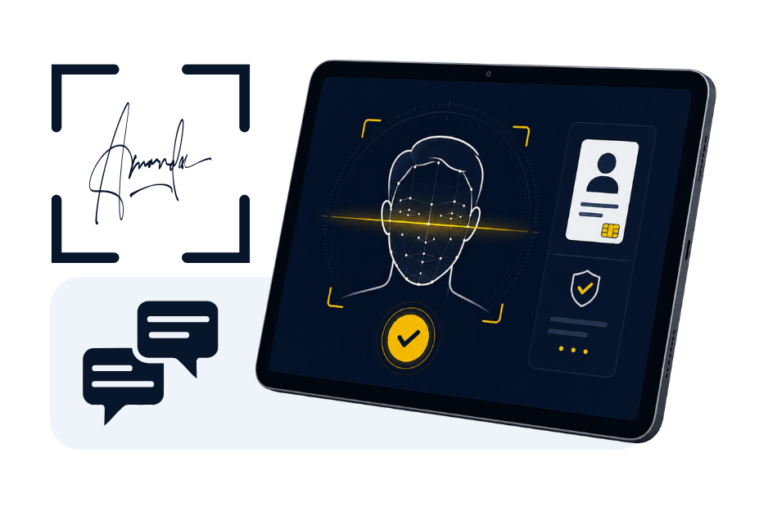
- Complete Biometric Face Verification (Liveness Check)
This is the key security step.
The system compares your live facial image with the photo on your identity document using advanced liveness detection technology capable of identifying:
- Fake photographs
- Deepfake videos
- Masks and other fraud attempts
Depending on the verification method, you may simply look into the camera or follow simple instructions such as blinking or turning your head.
The entire process takes only a few seconds while significantly increasing the security of the identity verification.
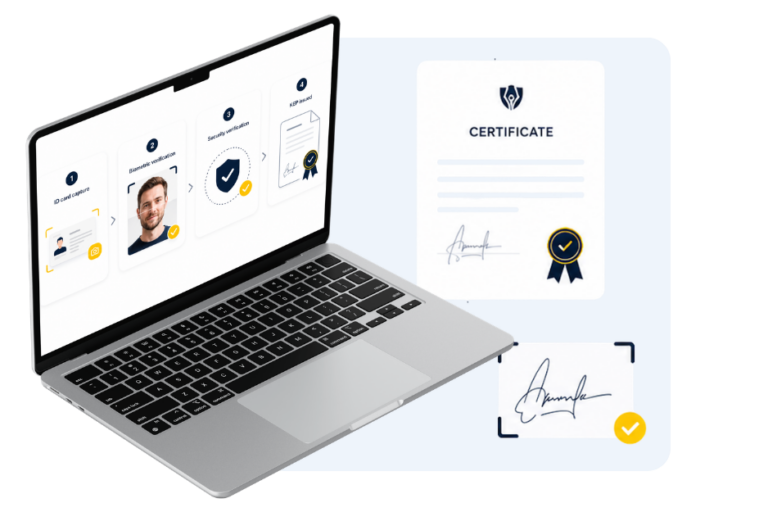
- Certificate Issuance and Document Signing
Once your identity has been successfully verified, your information is automatically compared with your application. The system then initiates the issuance of your Qualified Certificate.
With Biometric Management, certificate issuance can be initiated automatically. Once issued, you can immediately start signing documents – including bulk signing, graphical signatures, and integration with your electronic mailbox.

Did You Know?
Biometric verification is available as a powerful API – 4SIGNER SaaS Biometric Verification API – offering extensive functionality, including verification initialization, downloadable PDF verification reports, and notification services. This allows companies and developers to seamlessly integrate biometric identity verification into their own applications and systems.
Benefits of Obtaining a Qualified Electronic Signature via Biometric Verification
- Complete flexibility – use your smartphone, tablet, or computer
- Maximálna bezpečnosť vďaka eIDAS certifikácii a liveness kontrole
- Speed – the entire process, from verification to signing, takes only a few minutes
- Automation – certificate issuance can be initiated automatically after successful verification
- Fully paperless process – everything is completed digitally
- Full legal validity throughout the European Union
Besides convenience and speed, biometric verification gives you access to the complete 4SIGNER ecosystem, including your electronic mailbox, bulk document signing, automated document management, and many other digital trust services.
EXPERT TIP
After completing biometric verification, always review the extracted personal information to ensure it matches your application. Although the process is highly automated, this final verification helps guarantee the accuracy and trustworthiness of your Qualified Certificate.

AUTOR OF THE ARTICLE
Miroslav Rechtorík
Continue reading